
What Is n8n? Complete Beginner Guide
If you’re looking to automate repetitive tasks in your business but feel overwhelmed by complex automation tools, you’re not alone. Many small business owners and solopreneurs struggle to find an automation platform that’s both powerful and accessible.
n8n (pronounced “n-eight-n”) is an open-source workflow automation tool that helps you connect apps, automate tasks, and build complex workflows without extensive coding knowledge. Unlike traditional automation platforms, n8n gives you complete control over your data and offers both cloud-hosted and self-hosted options.
In this guide, you’ll learn what n8n is, how it works, what it’s used for, and whether it’s the right automation solution for your needs.
What Is n8n and How Does It Work?
n8n is a workflow automation platform that connects different applications and services together, allowing data to flow between them automatically. Think of it as a digital assembly line where information moves from one app to another based on rules you set up.
The name “n8n” is a numeronym (like “i18n” for internationalization), where the “8” represents the eight letters between the first “n” and last “n” in the word “nodemation” (node automation).
How n8n Works: The Basics
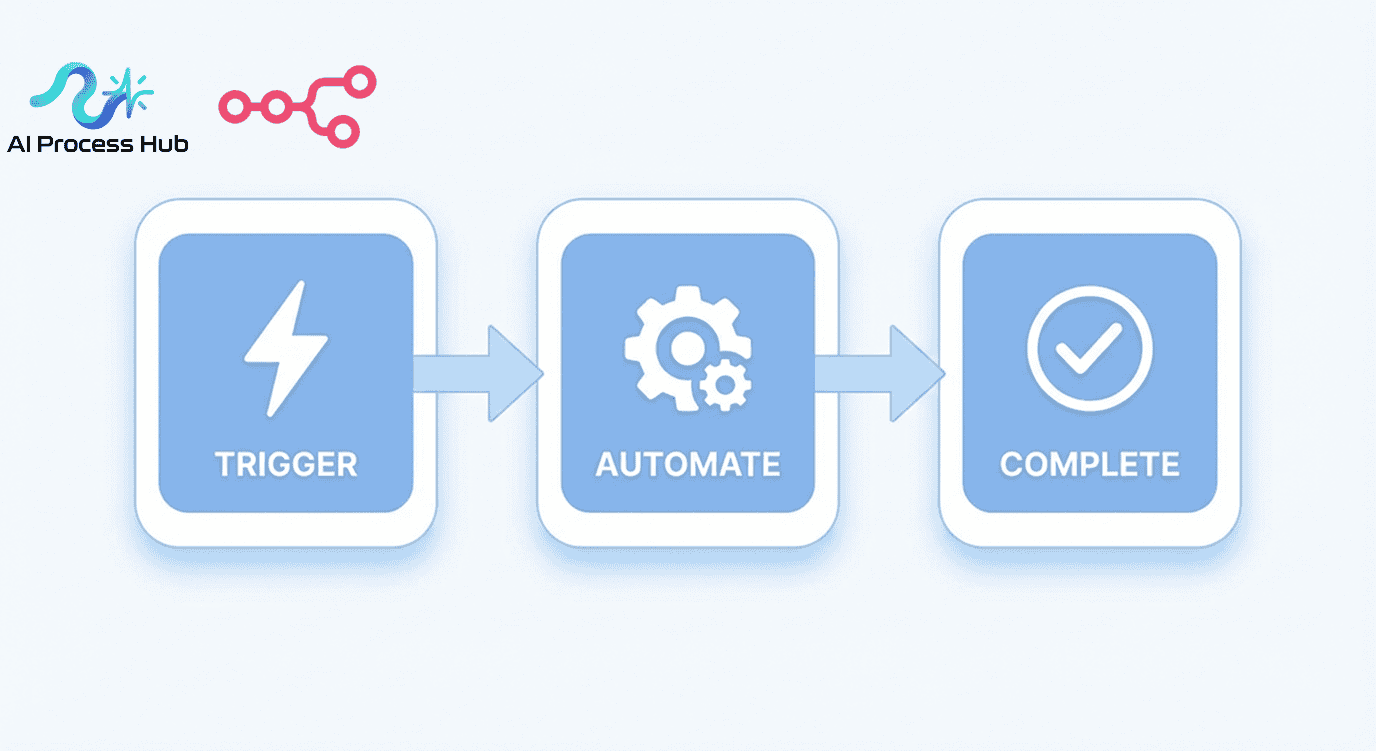
n8n operates using a visual workflow editor where you build automations by connecting different nodes. Each node represents either a trigger (what starts the workflow) or an action (what happens next).
Here’s the basic flow:
- Trigger Node: Something happens that starts your workflow (like receiving an email or a form submission)
- Action Nodes: n8n performs tasks based on that trigger (like adding data to a spreadsheet or sending a Slack message)
- Logic Nodes: You can add conditions, loops, and data transformations to make workflows smarter
- Output: The final result is delivered to your chosen destination
All of this happens through a drag-and-drop interface that makes building automations visual and intuitive.
What Is n8n Used For?
n8n is used to automate virtually any repetitive business process that involves multiple applications. Here are the most common use cases:
Lead Management and CRM Automation
Automatically capture leads from web forms, social media, or email campaigns and add them directly to your CRM. n8n can enrich lead data, assign leads to sales reps, and trigger follow-up sequences.
Customer Support Workflows
Route support tickets based on keywords, send automated responses, update customer records across platforms, and notify team members when urgent issues arise.
Content and Social Media Publishing
Schedule and publish content across multiple platforms, monitor mentions and keywords, generate reports on engagement, and repurpose content automatically.
E-commerce Order Processing
Sync orders between your store and fulfillment systems, send customized confirmation emails, update inventory levels, and generate shipping labels automatically.
Data Synchronization
Keep information consistent across multiple platforms—sync contacts, update records, backup data, and ensure your entire tech stack stays aligned.
Internal Team Notifications
Alert team members via Slack, email, or SMS when specific events occur, create daily summaries of important metrics, and automate meeting reminders.
How to Get Started with n8n: Step-by-Step Tutorial
Getting started with n8n is straightforward. Here’s a beginner-friendly walkthrough:
Step 1: Choose Your Hosting Option
n8n offers two main options:
- n8n Cloud: Hosted solution where n8n manages everything (easiest option for beginners)
- Self-Hosted: Install n8n on your own server for complete control and data privacy
For most beginners, starting with n8n Cloud makes sense. You can always migrate to self-hosted later.
Step 2: Create Your Account and First Workflow
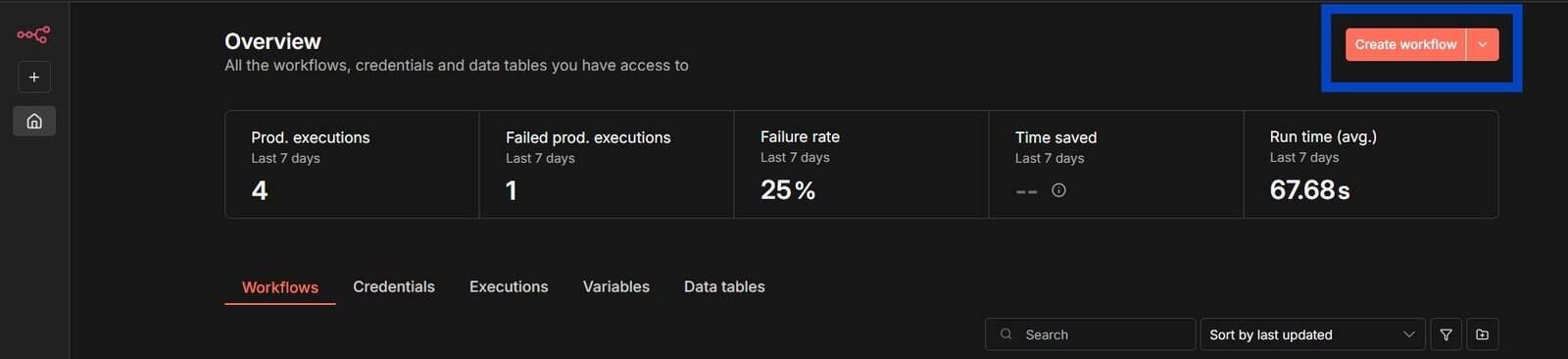
After signing up, you’ll land in the workflow editor. Click “Create New Workflow” to begin. Every workflow needs at least one trigger node to start.
Step 3: Add a Trigger Node
Click the “+” button and select a trigger. Common beginner-friendly triggers include:
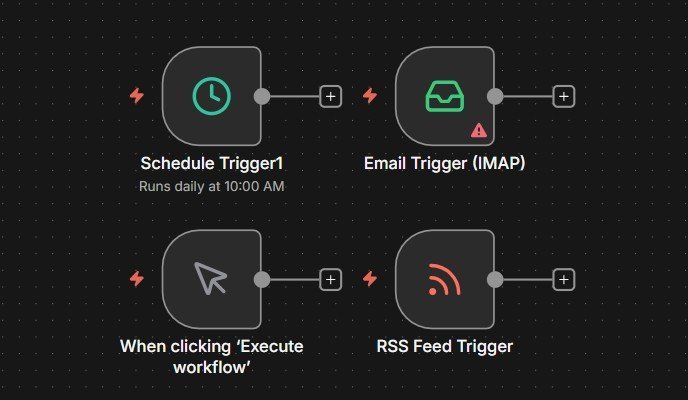
- Webhook (for receiving data from external sources)
- Schedule (for time-based automation)
- Manual trigger (for testing workflows)
Step 4: Connect Your First App
Click the “+” button after your trigger to add an action node. Search for the app you want to connect (like Google Sheets, Slack, or Notion). You’ll need to authenticate by providing API keys or logging in.
Step 5: Configure Your Action
Each node has settings where you specify what action to perform. For example, in a Google Sheets node, you might choose “Append Row” and map which data goes into which columns.
Step 6: Test Your Workflow
Click the “Execute Workflow” button to test. n8n will show you exactly what data passed through each node, making debugging simple.
Step 7: Activate Your Workflow
Once testing is successful, toggle the workflow to “Active” in the top right. Your automation now runs automatically based on your trigger conditions.
What Are the Key Features of n8n?
Understanding n8n’s features helps you evaluate whether it fits your automation needs.
400+ Pre-Built Integrations
n8n connects with hundreds of popular apps and services including Google Workspace, Microsoft 365, Slack, Salesforce, HubSpot, Shopify, WordPress, and many more.
Custom API Connections
If an app doesn’t have a pre-built integration, you can use the HTTP Request node to connect to any API. This makes n8n infinitely extensible.
Visual Workflow Editor
The drag-and-drop interface shows exactly how data flows through your automation, making complex workflows easier to understand and maintain.
Built-In Code Nodes
For advanced users, n8n includes JavaScript code nodes where you can write custom logic, transform data, or perform complex calculations.
Error Handling and Debugging
Each execution shows detailed logs of what happened at every step. You can set up error notifications and alternative paths when something goes wrong.
Data Privacy and Security
With self-hosted options, your data never leaves your infrastructure. n8n is also fully auditable since it’s open source.
Version Control and Workflow Sharing
Export workflows as JSON files, share them with team members, or publish them to the n8n community. This makes collaboration and template sharing simple.
n8n vs Zapier vs Make: How Do They Compare?
When researching what n8n is, most people also compare it to other automation tools. Here’s how they stack up:
n8n vs Zapier
We made a deep dive comparison of n8n vs zapier
Zapier is the most popular automation tool with the largest app ecosystem. However, it has limitations:
- Pricing: Zapier gets expensive quickly as you add more tasks. n8n offers unlimited workflows on all plans.
- Control: Zapier is cloud-only. n8n offers self-hosting for complete data control.
- Complexity: n8n handles complex workflows better with branching, merging, and advanced logic.
- Customization: n8n allows custom code and API connections more flexibly than Zapier.
Choose Zapier if: You want the simplest possible tool and don’t mind paying more for convenience.
Choose n8n if: You need more control, want to save money at scale, or require self-hosting.
n8n vs Make (formerly Integromat)
Make is another visual automation platform with advanced features. check out detailed article where we compare n8n vs Make, The comparison is closer:
- Interface: Both use visual workflow builders, but n8n’s interface is cleaner and more developer-friendly.
- Open Source: n8n is open source; Make is proprietary.
- Hosting: Make is cloud-only; n8n offers self-hosting.
- Learning Curve: Make has a steeper learning curve initially, while n8n is more intuitive for beginners.
- Pricing: Both offer competitive pricing, but n8n’s self-hosted option can be significantly cheaper.
Choose Make if: You need their specific integrations and prefer a cloud-hosted solution.
Choose n8n if: You value open source, want self-hosting capability, or prefer a more straightforward interface.
What Are the Pros and Cons of n8n?
Advantages of Using n8n
- Open Source: Complete transparency, no vendor lock-in, and community-driven development
- Cost-Effective: Self-hosting is free (except server costs), and cloud plans are competitively priced
- Data Privacy: Self-host to keep sensitive data on your own infrastructure
- Flexible: Connect to any API, write custom code, and build highly complex workflows
- Fair Pricing: No limits on workflows or apps; pricing is based on executions. check our detailed n8n pricing article.
- Active Community: Growing community with shared workflows, templates, and support
- Developer-Friendly: Clean API, extensive documentation, and ability to extend functionality
Disadvantages of n8n
- Smaller App Ecosystem: Fewer pre-built integrations than Zapier (though most major apps are covered)
- Self-Hosting Complexity: Requires technical knowledge if you choose to self-host
- Learning Curve: More powerful than simple tools, which means slightly more to learn initially
- Less Hand-Holding: Assumes you understand basic automation concepts and API fundamentals
- Smaller Support Team: Being open source, support options are more limited than enterprise platforms
Who Should Use n8n?
n8n is ideal for specific types of users and businesses. Here’s who benefits most:
Small Businesses and Startups
If you’re running a lean operation and need powerful automation without enterprise pricing, n8n delivers excellent value. The self-hosted option means you can scale without proportional cost increases.
Digital Agencies
Agencies building automation solutions for multiple clients appreciate n8n’s flexibility and white-label potential. You can deploy separate instances for each client and maintain complete control.
Solopreneurs and Freelancers
If you’re managing multiple aspects of your business solo, n8n helps you work smarter. Automate client onboarding, invoicing, content distribution, and project management.
Technical Teams and Developers
Development teams love n8n because it’s code-friendly. You can extend it, integrate it into existing systems, and build sophisticated workflows that go beyond typical automation platforms.
Privacy-Conscious Organizations
Companies handling sensitive data (healthcare, finance, legal) benefit from self-hosting capabilities. Your data never touches third-party servers.
Who Might Want Alternatives
n8n might not be the best fit if you’re completely non-technical and want the absolute simplest tool, or if you need specific integrations that n8n doesn’t yet support. In those cases, Zapier might be easier initially.
Frequently Asked Questions About n8n
Is n8n completely free to use?
Yes, the self-hosted version of n8n is completely free and open source. You only pay for server hosting costs. The cloud-hosted version has free and paid tiers, with the paid plans starting at affordable monthly rates based on workflow executions.
Do I need coding skills to use n8n?
No, you don’t need coding skills for basic automation. The visual interface allows you to build workflows without writing code. However, knowing JavaScript is helpful for advanced data transformations and custom logic.
How is n8n different from Zapier?
n8n is open source, offers self-hosting, has no limits on workflows, and provides more flexibility for complex automations. Zapier is easier to start with and has more pre-built integrations, but costs more and offers less control over your data.
What is n8n? What does n8n stand for?
n8n is a numeronym for “nodemation” (node automation), where “8” represents the eight letters between the first and last “n.” It’s pronounced “n-eight-n.”
Can n8n connect to apps that don’t have built-in integrations?
Yes, absolutely. n8n includes an HTTP Request node that lets you connect to any service with an API. You can also build custom nodes if you have development resources.
Is n8n secure for business data?
Yes. When self-hosted, you have complete control over where your data lives and who can access it. n8n Cloud uses industry-standard security practices including encryption. Being open source also means the code is publicly auditable.
How much does n8n cost?
Self-hosting is free (you only pay for server costs, typically $5-20/month). n8n Cloud has a free tier for testing and paid plans starting around $20/month based on workflow executions. This is significantly cheaper than comparable Zapier plans at scale.
Can I migrate from Zapier or Make to n8n?
Yes, though you’ll need to rebuild your workflows since there’s no automatic migration tool. Most users find this process straightforward, and n8n often allows them to simplify complex multi-step Zapier workflows into more efficient n8n workflows.
What’s the best way to learn n8n?
Start with the official n8n documentation and tutorials. The n8n community forum is excellent for getting help. Begin with simple two-step workflows and gradually add complexity. Many users also find value in exploring the workflow template library. Automation Basics
Does n8n work for e-commerce automation?
Yes, n8n integrates with major e-commerce platforms like Shopify, WooCommerce, and Magento. You can automate order processing, inventory management, customer communications, and fulfillment workflows.
Final Thoughts: Is n8n Right for You?
Now that you understand what n8n is, how it works, and what it’s used for, you can make an informed decision about whether it fits your automation needs.
n8n stands out as a powerful, flexible, and cost-effective automation platform—especially for small businesses, agencies, and technical teams who want control over their data and workflows. Its open-source nature, self-hosting capability, and developer-friendly approach make it unique in the automation landscape.
The platform requires a bit more initial learning than drag-and-drop tools like Zapier, but that investment pays off with greater flexibility, better pricing at scale, and the ability to build truly sophisticated automations.
If you value transparency, data privacy, and long-term cost savings—and you’re willing to invest a few hours learning the platform—n8n is an excellent choice for building your business automation infrastructure in 2025.
Ready to get started? Create a free n8n Cloud account or spin up a self-hosted instance to begin building your first workflow today.