
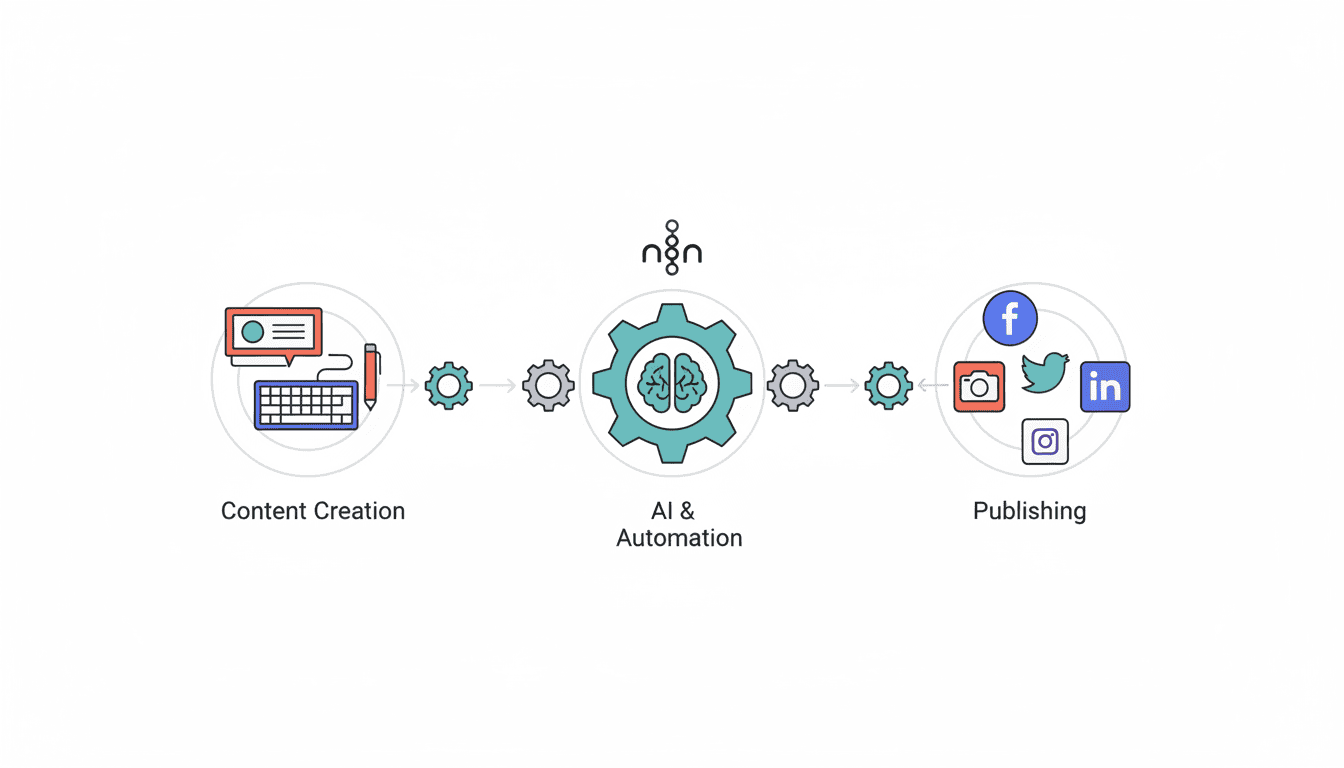
How to Automate Social Media Posts for Your Small Business
Social media marketing is essential for small businesses, but managing multiple platforms can be time-consuming. Learning how to automate social media posts can save you valuable time while maintaining a consistent online presence. By implementing effective automation strategies, small business owners can focus on core business activities while still engaging with their audience across various platforms. This guide will walk you through the process of setting up social media automation that works for your business needs.
Choose the Right Social Media Automation Tools
Finding the right social media automation tools is crucial for streamlining your marketing efforts. With numerous options available, selecting tools that align with your business goals and budget is the first step toward successful automation.
Overview of Popular Tools
Several powerful platforms can help small businesses manage their social media presence efficiently:
- Hootsuite: Allows management of multiple platforms in one dashboard with scheduling capabilities for various social networks.
- Buffer: Known for its user-friendly interface and analytics, making it popular among small business owners.
- Later: Specializes in visual content planning and scheduling, ideal for Instagram-focused businesses.
- SocialBee: Offers content categorization and recycling features to maximize your content library.
- Sprout Social: Provides comprehensive management tools with robust analytics and reporting features.
Each of these social media automation tools offers unique features that can benefit different types of small businesses, depending on your specific needs and the platforms you prioritize.
Comparing Features and Pricing
When evaluating tools, consider these key factors to find the best fit for your business:
| Tool | Starting Price | Supported Platforms | Key Features |
| Hootsuite | $49/month | Facebook, Instagram, Twitter, LinkedIn, Pinterest, YouTube | Content scheduling, analytics, team management |
| Buffer | $15/month | Facebook, Instagram, Twitter, LinkedIn, Pinterest | Simple scheduling, analytics, mobile app |
| Later | Free (paid from $15/month) | Instagram, Facebook, Twitter, Pinterest | Visual planner, media library, analytics |
| SocialBee | $29/month | Facebook, Instagram, Twitter, LinkedIn, Pinterest | Content categories, recycling, scheduling |
| Sprout Social | $99/month | Facebook, Instagram, Twitter, LinkedIn, Pinterest | Advanced analytics, CRM features, listening tools |
How to automate Social Media Posts Effectively
Once you’ve selected your automation tool, learning how to schedule social media posts efficiently will help maximize your engagement and save time.
Best Practices for Scheduling
Follow these guidelines to create an effective posting schedule:
- Research optimal posting times: Each platform has different peak engagement hours. For example, LinkedIn typically performs better during business hours, while Instagram might see higher engagement in evenings.
- Maintain consistent posting frequency: Whether it’s daily, three times a week, or weekly, consistency helps build audience expectations.
- Plan content themes by day: Designate specific days for different content types (e.g., Monday for tips, Wednesday for customer spotlights).
- Batch content creation: Set aside dedicated time to create multiple posts at once, then schedule them throughout the week or month.
- Monitor performance and adjust: Use analytics to refine your posting schedule based on what generates the most engagement.
Remember that scheduling is about finding the balance between consistency and quality—don’t sacrifice content relevance just to maintain a rigid schedule.
Using Tools to Automate Posting Times
Leverage these features to optimize when your content reaches your audience:
- Queue-based scheduling: Tools like Buffer allow you to set time slots for each day, and posts are automatically published in those pre-determined slots.
- Optimal time features: Many platforms analyze when your audience is most active and automatically schedule posts during those times.
- Content calendar views: Visualize your posting schedule across platforms to ensure balanced distribution.
- Recurring posts: Set up evergreen content to be reposted automatically at defined intervals.
Automate Instagram Posts for Your Business
Instagram requires special consideration when it comes to automation due to its visual nature and API restrictions.
Step-by-Step Guide to Automation
Follow these steps to automate instagram posts effectively:
- Connect your business account: Ensure you have an Instagram Business profile connected to a Facebook Business page.
- Choose compatible tools: Select automation tools that support Instagram’s API (Later, Hootsuite, Buffer, etc.).
- Prepare visual content in advance: Create and edit your photos and videos before uploading to your scheduler.
- Write engaging captions: Include relevant hashtags (research indicates 5-10 perform best) and calls to action.
- Schedule content: Most tools now offer direct publishing for single-image posts to business accounts.
- Set reminders for Stories: While many platforms don’t allow direct story posting, they can prepare content and send reminders.
Note that Instagram automation still has limitations—carousel posts, Reels, and certain interactive features may require manual posting even with automation tools.
Engagement Strategies for Automated Posts
To ensure your automated Instagram content still feels authentic and generates engagement:
- Respond promptly to comments: Set aside time daily to engage with audience responses to your automated posts.
- Use location tags and mentions: Increase discoverability by tagging relevant locations and accounts in your scheduled posts.
- Plan interactive content: Include questions or prompts in captions to encourage comments.
- Mix promotional and value-based content: Follow an 80/20 rule—80% valuable/entertaining content and 20% promotional.
- Maintain visual consistency: Use similar editing styles or filters to create a cohesive feed even with automated posts.
Automate LinkedIn Posting for Professional Growth
LinkedIn offers valuable opportunities for small businesses to build professional connections and establish industry authority.
Setting Up LinkedIn Automation
To automate linkedin posting effectively:
- Connect your LinkedIn profile or page: Link your personal profile or business page to your chosen automation tool.
- Determine content mix: Plan a balance of thought leadership articles, company updates, industry news, and employee spotlights.
- Create a content calendar: LinkedIn typically requires less frequent posting than other platforms—2-5 times per week is often sufficient.
- Schedule during business hours: Unlike other platforms, LinkedIn engagement typically peaks during working hours, particularly Tuesday through Thursday.
- Utilize native LinkedIn features: Set up your automation to include polls, document sharing, or article publishing when appropriate.
Maximizing Reach and Engagement
Optimize your automated LinkedIn content with these strategies:
- Use hashtags strategically: Include 3-5 relevant hashtags per post, mixing broad and niche terms.
- Format for readability: Break up text with line spaces, bullet points, and emojis to increase readability in the feed.
- Include a call to action: End posts with a clear next step—whether it’s visiting your website, downloading a resource, or commenting.
- Tag relevant connections: Mention individuals or companies when appropriate, but avoid excessive tagging.
- Share industry insights: Position your business as a thought leader by scheduling regular industry analysis or trend commentary.
Small Business Social Media Automation Tips
As a small business, balancing efficiency with personalization is key to successful social media automation.
Balancing Automation with Authenticity
To maintain genuine connections while using small business social media automation:
- Don’t automate everything: Reserve 20-30% of your social media activity for real-time engagement and responses.
- Personalize scheduled content: Include team photos, behind-the-scenes content, and authentic stories even in automated posts.
- Avoid generic messaging: Craft platform-specific content rather than posting identical messages across all channels.
- Set aside time for engagement: Schedule 15-30 minutes daily to respond to comments and messages across platforms.
- Adjust for timely events: Be prepared to pause scheduled content during major news events or crises that might make your content seem insensitive.
Measuring Success and Adjusting Strategies
To continuously improve your social media automation:
- Track key performance indicators: Monitor engagement rates, click-throughs, conversions, and follower growth.
- Perform regular content audits: Review which types of content perform best on each platform and adjust your automation strategy accordingly.
- Test posting times: Experiment with different scheduling times and analyze performance to optimize your posting calendar.
- Compare automated vs. manual performance: Assess whether certain types of content perform better when posted manually versus through automation.
- Set realistic goals: Establish benchmarks based on your industry and audience size to measure success appropriately.
Resources
Further Reading and Tools
Expand your knowledge with these additional resources:
- Blogs and websites: Social Media Examiner, Buffer’s blog, Sprout Social’s insights, and Hootsuite’s blog offer updated strategies and tips.
- Free tools: Canva for graphic creation, Unsplash for stock photos, and Google Analytics for tracking website traffic from social media.
- Books: “Social Media Marketing Workbook” by Jason McDonald and “One Million Followers” by Brendan Kane provide in-depth guidance.
- Courses: Platforms like Coursera, LinkedIn Learning, and HubSpot Academy offer courses on social media management and automation.
Community and Support Resources
Connect with other small business owners for support and ideas:
- Facebook groups: Social Media Managers and Small Business Social Media Tips groups provide peer support.
- Local networking: Chamber of Commerce events often include social media workshops for small businesses.
- Online forums: Reddit’s r/socialmedia and r/smallbusiness communities offer advice and discussion.
- Tool-specific communities: Most major automation platforms have user communities where you can learn advanced strategies.
- AI Automation for small businesses: Our blog has a section for how to automate your business daily tasks using n8n and make.com
Conclusion
Automating your social media posts is a game-changer for small businesses looking to maintain a consistent online presence without sacrificing hours of valuable time. By selecting the right tools, creating effective scheduling strategies, and balancing automation with authentic engagement, you can build meaningful connections with your audience while focusing on growing your business. Remember that successful social media automation isn’t about removing the human element—it’s about using technology to enhance your ability to connect with customers at scale. Start small, measure results, and gradually expand your automation strategy as you discover what works best for your unique business needs.
Frequently Asked Questions
How much time can I save by automating social media posts?
Most small businesses report saving 5-10 hours per week by implementing social media automation strategies, which translates to over 20-40 hours per month that can be redirected to other business priorities.
Can I automate all of my social media activities?
While you can automate content posting, scheduling, and some basic monitoring, authentic engagement like responding to comments, participating in conversations, and creating real-time content should remain manual to maintain genuine connections.
How much should a small business spend on social media automation tools?
Most small businesses can find suitable automation solutions in the $15-50 per month range, though more comprehensive tools with advanced features may cost $100+ monthly. Many platforms offer tiered pricing based on the number of social profiles and features needed.
How far in advance should I schedule social media posts?
For most small businesses, scheduling 1-2 weeks ahead provides a good balance between planning efficiency and maintaining content relevance. During busy seasons or campaigns, you might extend this to 3-4 weeks with space left for timely updates.
Will my followers know I’m using automation tools?
When implemented correctly, followers generally can’t tell the difference between automated and manual posts. The key is maintaining your brand voice, engaging with responses promptly, and ensuring content remains timely and relevant.
What’s the biggest mistake small businesses make when automating social media?
The most common mistake is “set it and forget it” automation—scheduling content without monitoring performance, engaging with responses, or adjusting strategy based on results. Successful automation requires ongoing attention and refinement.