How to Build an AI Content Generator Workflow in n8n
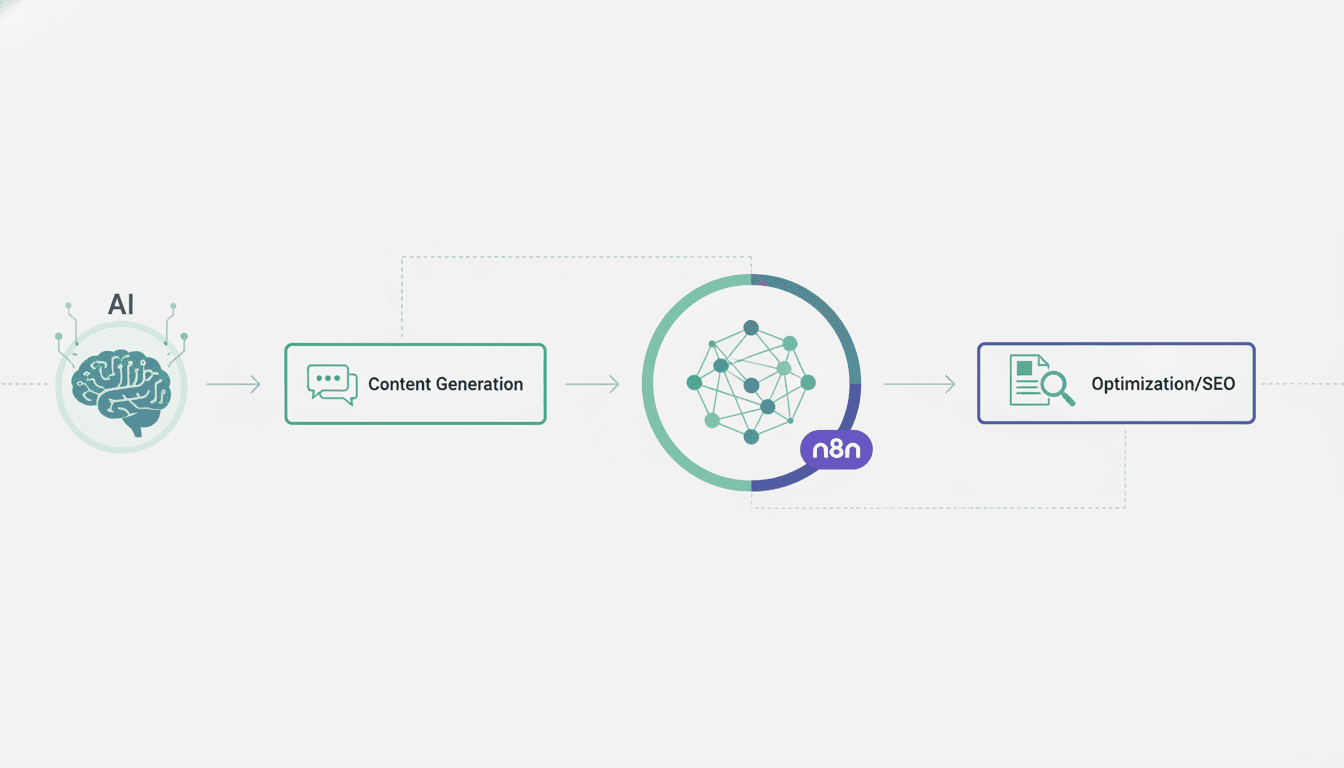
Creating automated content generation systems has become easier than ever with workflow automation platforms like n8n. By combining the power of artificial intelligence with n8n’s flexible automation capabilities, you can build sophisticated AI content generator workflows that save time and resources. This guide will walk you through the process of setting up an AI content generator workflow in n8n, from installation to optimization, helping you harness the power of AI for your content needs.
Setting Up Your n8n Environment for AI Content Generation
Before diving into creating AI content workflows, you need to set up your environment correctly. This involves installing n8n and configuring the necessary API connections to leverage AI services.
Installing n8n
Getting started with n8n is straightforward. You have several installation options depending on your technical preferences:
- Desktop App: The simplest method for beginners is to download the desktop application from the official n8n website. Available for Windows, macOS, and Linux.
- NPM Installation: If you’re comfortable with Node.js, you can install n8n using npm with the command:
npm install n8n -g - Docker: For containerized deployment, use Docker with:
docker run -it --rm --name n8n -p 5678:5678 n8nio/n8n - Cloud Hosting: Consider n8n.cloud for a managed solution without installation requirements
After installation, access the n8n interface by navigating to http://localhost:5678 in your browser. You’ll be greeted by the n8n dashboard where you can start building your workflows.
Configuring API Access for OpenAI
To build an n8n OpenAI automation, you need to set up API access to OpenAI services:
- Create an account on the OpenAI platform if you don’t have one
- Navigate to the API keys section in your OpenAI dashboard
- Generate a new API key and copy it securely
- In n8n, go to Settings → Credentials and click “Create New Credentials”
- Select “OpenAI API” from the credential types
- Enter your API key in the provided field
- Save your credentials for use in workflows
Creating Your First AI Content Workflow in n8n
Now that your environment is set up, let’s create your first AI content workflow. This involves connecting n8n to ChatGPT and setting up appropriate triggers.
Using n8n with ChatGPT for Automation
The n8n ChatGPT automation node allows you to send prompts to OpenAI’s models and receive generated content. Here’s how to set it up:
- Create a new workflow in your n8n dashboard
- Add a new node by clicking the “+” button
- Search for “OpenAI” and select the node
- Connect your previously created OpenAI credentials
- Configure the node parameters:
- Resource: Set to “Chat Completion”
- Model: Choose the appropriate GPT model (e.g., “gpt-4” or “gpt-3.5-turbo”)
- Messages: Define your system and user messages to guide content generation
This basic setup enables you to send prompts to ChatGPT and receive AI-generated responses. You can further customize the parameters to control temperature (creativity), max tokens, and other generation settings.
Setting Up Triggers for AI Content Generation
To automate content generation, you need to establish triggers that initiate your workflow. n8n offers several trigger options:
- Schedule Trigger: Generate content on a predefined schedule (daily, weekly, monthly)
- Webhook Trigger: Start content generation when receiving external HTTP requests
- Form Trigger: Create a form where users can input content requirements
- Database Trigger: Monitor database changes to trigger content creation
For example, to set up a scheduled content generation workflow:
- Add a “Schedule” node as your trigger
- Configure it to run at your desired frequency
- Connect it to your OpenAI node
- Add any additional processing nodes as needed
This approach works well for generating regular content like daily social media posts or weekly blog summaries using AI agent workflows.
Generating Content with n8n
With your basic workflow set up, let’s focus on optimizing the content generation process to get the best results from your generate content with n8n workflows.
Defining Content Requirements and Prompts
The quality of your AI-generated content heavily depends on how well you structure your prompts. Here are best practices for effective prompting:
| Prompt Element | Description | Example |
| Context | Background information for the AI | “You are writing for a tech blog aimed at beginners” |
| Format | Desired output structure | “Write a 500-word blog post with 3 sections” |
| Tone | Style of writing | “Use a conversational, friendly tone” |
| Specifics | Detailed requirements | “Include 3 examples of JavaScript functions” |
In n8n, you can store these prompt templates in variables or configuration nodes, making them reusable across multiple workflows.
Executing AI Text Generation Workflows
To successfully execute AI text generation workflow in n8n, follow these steps:
- Prepare Input Data: Gather any dynamic variables needed for your prompt (topic, keywords, etc.)
- Format Your Prompt: Combine template and variables into a well-structured prompt
- Send to OpenAI: Pass the formatted prompt to the OpenAI node
- Process the Response: Extract and format the AI-generated content
- Route the Output: Send the content to its destination (CMS, email, etc.)
Integrating Other Tools in Your n8n Workflow
A powerful AI content generator workflow often requires integration with other tools and systems to maximize efficiency.
Connecting with Content Management Systems
Once you’ve generated content, you’ll likely want to publish it automatically. n8n supports integration with various content management systems:
- WordPress: Post content directly to your WordPress site
- Ghost: Publish to Ghost blogs via their API
- Medium: Send articles to Medium
- Custom CMS: Connect via API requests to your preferred platform
For example, to connect with WordPress:
- Add the WordPress node after your content generation
- Configure WordPress credentials (site URL, username, password)
- Set up the node to create a new post with your generated content
- Configure additional parameters like categories, tags, and publication status
Using Webhooks to Enhance Automations
Webhooks enable your n8n workflow to interact with external services through HTTP requests:
- Use Webhook Trigger to start workflows based on external events
- Send generated content to other applications via HTTP Request nodes
- Create feedback loops where content is generated, published, and then reported on
For instance, you could set up a webhook that receives content briefs from a form, generates the content with AI, and then notifies stakeholders when the content is ready via another webhook to Slack or email services.
Testing and Optimizing Your AI Content Generator Workflow
Before fully deploying your AI content generation workflow, thorough testing and optimization are essential.
Conducting Test Runs
n8n provides several ways to test your workflows:
- Execute Workflow: Run the entire workflow from the editor
- Execute Node: Test individual nodes to check their output
- Debug Mode: View detailed execution data for troubleshooting
During testing, try various input scenarios to ensure your workflow handles different content requirements correctly. This is particularly important when testing n8n workflow examples that could be adapted for small businesses.
Analyzing Output for Effectiveness
To ensure your AI-generated content meets quality standards:
- Review content for accuracy and relevance
- Check for stylistic consistency with your brand voice
- Assess readability and structure
- Verify that all required elements (links, keywords, etc.) are included
Based on your analysis, refine your prompts and workflow configuration to improve output quality. Consider adding a quality check node that evaluates content against predefined criteria before publishing.
Resources
Further Reading on n8n Workflows
To deepen your knowledge of n8n and AI content generation, explore these resources:
- Official n8n Documentation – Comprehensive guides and reference materials
- What is n8n – A detailed explanation of n8n’s capabilities and use cases
- OpenAI API Documentation – Reference for OpenAI API parameters and options
Community Support and Forums
Connect with other n8n users and get support for your workflows:
- n8n Community Forum – Discuss workflows, ask questions, and share ideas
- n8n GitHub Repository – Source code and issue tracking
- AI agent for small business – Learn how to implement AI agents for your business operations
Conclusion
Building an AI content generator workflow in n8n opens up powerful possibilities for automating content creation while maintaining quality and consistency. By following the steps outlined in this guide, you can set up a robust system that generates content based on your specific requirements, integrates with your existing tools, and saves valuable time and resources.
As AI technology continues to evolve, your n8n workflows can be refined and expanded to incorporate new capabilities. Whether you’re generating blog posts, social media content, product descriptions, or other text-based materials, n8n provides the flexibility and power to create sophisticated AI content automation systems tailored to your needs.
Start small, test thoroughly, and gradually expand your workflows to build a comprehensive content generation ecosystem that transforms how you create and distribute content.
Frequently Asked Questions
What is n8n and how does it help with AI content generation?
n8n is an open-source workflow automation tool that allows you to connect various services and APIs without coding. For AI content generation, n8n serves as the orchestration layer that connects triggers, AI services like OpenAI, and content destinations like CMS platforms into automated workflows.
Do I need coding skills to build an AI content generator in n8n?
No, n8n features a visual workflow builder that requires no coding. However, basic familiarity with APIs and data structures will help you build more sophisticated workflows. For complex transformations, the Function node allows optional JavaScript usage.
Which AI models work best for content generation in n8n?
OpenAI’s GPT-3.5 and GPT-4 models are most commonly used for content generation in n8n workflows. The choice depends on your specific needs: GPT-3.5 is more cost-effective for high-volume, simpler content, while GPT-4 provides higher quality for complex or specialized content.
How can I ensure the AI-generated content matches my brand voice?
Create detailed system prompts that specify your brand voice, provide examples of preferred content, and include style guidelines. Consider implementing a review step in your workflow where content is validated before publishing.
What’s the cost of running an AI content generator workflow in n8n?
n8n itself is open-source and free to self-host, with paid cloud options available. The main costs come from OpenAI API usage, which is billed based on token consumption. Set appropriate token limits and monitor usage to control costs effectively.
Can I schedule content generation to run automatically?
Yes, n8n’s Schedule trigger node allows you to set up recurring content generation at specified intervals (hourly, daily, weekly, etc.). This is perfect for regular content needs like daily social media posts or weekly newsletter generation.