n8n Pricing Explained: Free, Cloud & Enterprise
Navigating the world of workflow automation tools can be challenging, especially when it comes to understanding pricing structures. n8n has emerged as a powerful player in the automation space, offering various pricing options to suit different needs and budgets. This comprehensive guide breaks down n8n pricing across its free, cloud, and enterprise offerings, helping you make an informed decision about which plan aligns best with your requirements.
Understanding n8n Pricing
n8n offers a flexible pricing structure designed to accommodate businesses of all sizes, from individual users to large enterprises. Understanding these n8n pricing options is crucial for selecting the most cost-effective solution for your automation needs.
Overview of n8n Pricing Plans
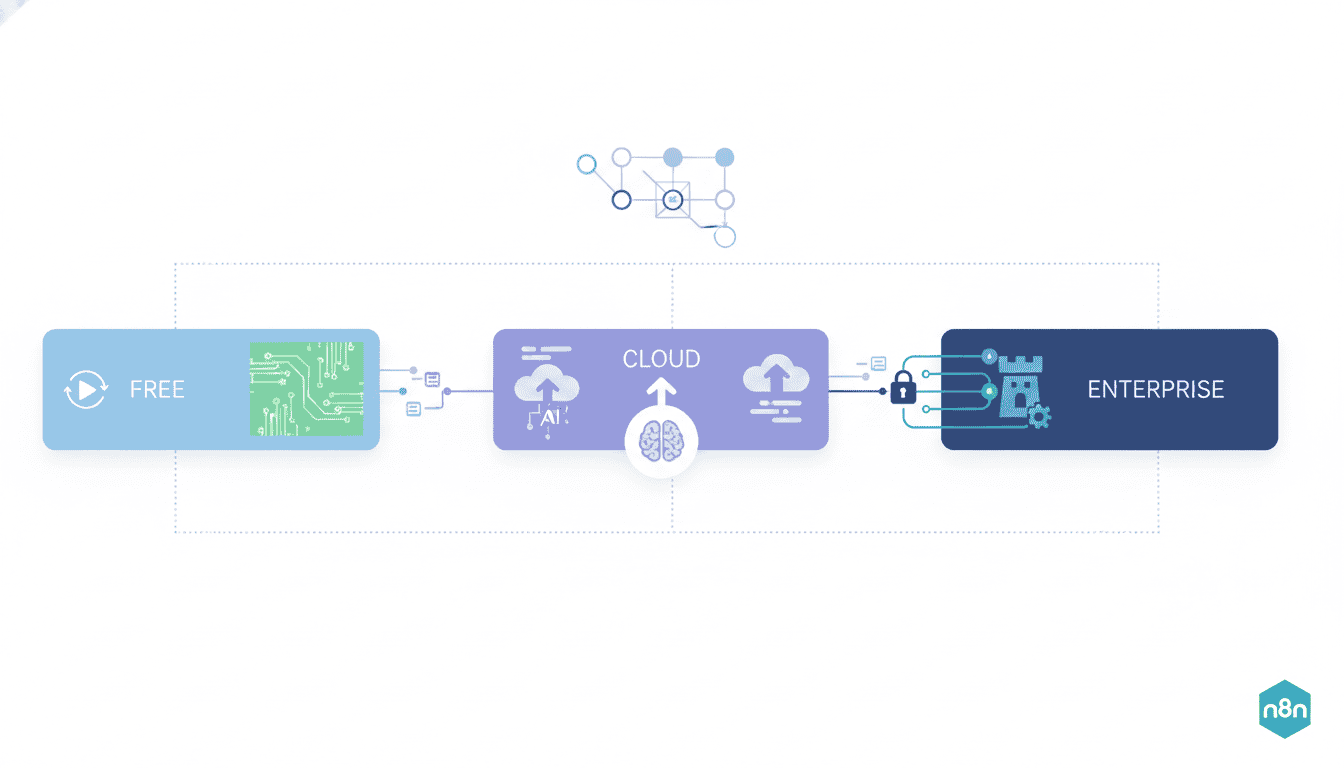
n8n provides several distinct pricing plans, each tailored to specific use cases and requirements. The n8n pricing plans fall into three main categories:
- Free (Self-hosted): For individuals and small teams who have technical expertise and prefer hosting on their own infrastructure
- Cloud: For users who prefer a managed solution with various tiers based on usage requirements
- Enterprise: For larger organizations requiring advanced security, support, and customization options
Each plan offers different features, support levels, and pricing structures to accommodate varying needs and budgets.
Is n8n Free to Use?
Yes, n8n can be free to use, but with certain considerations. The self-hosted version of n8n is available as an open-source solution that can be deployed on your own infrastructure at no cost. This free version of n8n includes:
- Unlimited workflows
- Access to most integrations
- Basic workflow automation capabilities
- Community support
However, while the software itself is free, you should factor in the costs associated with hosting, maintenance, and infrastructure management. Additionally, the free version lacks some of the premium features available in the paid plans, such as enhanced security, advanced authentication options, and dedicated support.
n8n Cloud Pricing
For those who prefer a managed solution without the hassle of self-hosting, n8n Cloud offers a compelling alternative with predictable n8n cloud pricing and a range of features designed for various business needs.
Features of n8n Cloud Pricing
n8n Cloud offers several advantages over the self-hosted version, including:
- Zero maintenance: No need to worry about updates, backups, or server management
- Automatic upgrades: Always access to the latest features and improvements
- Enhanced security: Built-in security features and compliance measures
- Scalability: Easily scale resources up or down as your needs change
- Dedicated support: Access to professional support channels
- Workflow sharing: Collaborate with team members more efficiently
- Custom domains: Use your own domain for a professional appearance
These features make n8n Cloud particularly attractive for businesses that want to focus on building workflows rather than managing infrastructure.
Cost Breakdown of n8n Cloud
n8n Cloud pricing operates on a tiered model based on your usage requirements and feature needs:
| Plan | Approximate Cost | Key Features |
| Starter | $20/month | Limited active workflows, basic features, community support |
| Professional | $45/month | More active workflows, additional users, email support |
| Teams | $90/month | Team collaboration features, priority support, advanced security |
All cloud plans typically include a certain amount of execution minutes, with additional charges for exceeding these limits. Most plans offer monthly or annual billing options, with discounts available for annual commitments.
n8n Enterprise Pricing
For larger organizations with complex requirements, n8n Enterprise provides the most comprehensive set of features and support options, albeit at a higher price point.
Benefits of n8n Enterprise Plans
n8n enterprise pricing reflects the additional value provided to organizations with advanced needs:
- Enhanced security: Advanced authentication methods, role-based access control, and compliance features
- Dedicated infrastructure: Private cloud deployments and dedicated resources
- Custom integrations: Tailored connectors for proprietary systems
- Service Level Agreements (SLAs): Guaranteed uptime and response times
- Premium support: Dedicated account managers and priority technical assistance
- Training and onboarding: Personalized training sessions and implementation support
- Workflow auditing: Advanced tracking and monitoring capabilities
These enterprise features are designed to support organizations with strict security requirements, complex workflows, or large teams that need collaborative automation capabilities.
Comparing n8n Enterprise vs Cloud Pricing
When evaluating n8n enterprise pricing against cloud options, consider these key differences:
| Feature | Cloud | Enterprise |
| Pricing model | Fixed tiers with usage limits | Custom quotes based on requirements |
| Support level | Standard support channels | Dedicated support team and account management |
| Security features | Standard security | Enhanced security with custom options |
| Customization | Limited | Extensive with custom development options |
| SLAs | Basic guarantees | Comprehensive SLAs with financial backing |
Enterprise pricing typically starts at several thousand dollars per year, with final costs determined through consultation with the n8n sales team based on your specific requirements.
Determining the Right n8n Plan for Your Business
Selecting the optimal n8n plan requires careful consideration of your organization’s specific needs, technical capabilities, and budget constraints.
Factors to Consider When Choosing n8n Pricing
When evaluating which n8n pricing plan is right for your business, consider:
- Technical expertise: Do you have the resources to manage a self-hosted solution?
- Workflow volume: How many workflows will you need to run concurrently?
- Execution frequency: How often will your workflows execute?
- Team size: How many users need access to create and manage workflows?
- Security requirements: Do you have specific compliance or security needs?
- Integration complexity: What systems do you need to connect?
- Support needs: What level of technical support do you require?
By carefully evaluating these factors, you can narrow down which pricing tier aligns best with your requirements.
Assessing Your Budget for n8n
When planning your budget for n8n, consider both immediate and long-term costs:
- Initial setup: Implementation costs, integration development, training
- Ongoing expenses: Monthly or annual subscription fees
- Scaling costs: How pricing changes as your usage grows
- Alternative costs: Compare with similar platforms like Zapier, Make (formerly Integromat), or Automate.io
- ROI calculation: Estimate the time saved and process improvements
Resources
Useful Links for n8n Pricing Information
To help you make an informed decision about n8n pricing, here are some valuable resources:
- Official n8n Pricing Page – For the most up-to-date pricing information
- n8n Documentation – For detailed information about features and capabilities
- n8n Community Forum – To connect with other users and discuss experiences
- n8n Sales Team – For personalized quotes and enterprise inquiries
- n8n Blog – For case studies and implementation examples
These resources provide comprehensive information to help you evaluate n8n pricing and determine which plan best meets your requirements.
Conclusion
n8n offers a flexible range of pricing options to accommodate various business sizes and automation needs. From the free self-hosted version to scalable cloud plans and comprehensive enterprise solutions, there’s an option for virtually every use case. By carefully assessing your specific requirements, technical capabilities, and budget constraints, you can select the most appropriate n8n pricing plan for your organization.
Remember that while cost is an important factor, the value derived from streamlined processes, reduced manual work, and improved efficiency should also factor into your decision-making process. With the right n8n plan, you can unlock powerful automation capabilities that drive productivity and innovation across your organization.
Frequently Asked Questions
How much does n8n cost per month?
n8n pricing starts with a free self-hosted option, while cloud plans begin at approximately $20/month for basic features. Professional and team plans range from $45-$90/month, and enterprise plans are custom-quoted based on specific requirements and usage needs.
Can I use n8n for free?
Yes, n8n offers a free self-hosted version that you can install on your own n8n infrastructure. This version includes core automation capabilities but requires technical expertise to set up and maintain.
What’s the difference between n8n Cloud and Enterprise plans?
n8n Cloud provides a managed solution with tiered pricing based on usage, while Enterprise offers custom deployments with advanced security, dedicated support, SLAs, and tailored features for larger organizations with complex requirements.
How does n8n pricing compare to alternatives like Zapier?
n8n often proves more cost-effective for high-volume workflows compared to Zapier, especially with the self-hosted option. Cloud pricing is competitive but structured differently, with n8n focusing more on execution minutes rather than task counts.
Does n8n offer discounts for annual subscriptions?
Yes, n8n typically offers discounts ranging from 10-20% for annual commitments compared to monthly billing across its cloud pricing tiers.
Can I upgrade or downgrade my n8n plan easily?
Yes, n8n allows flexibility in changing plans. You can upgrade at any time as your needs grow, while downgrading is typically processed at the end of your current billing cycle.